Scalp Micropigmentation - Få selvtilitten tilbake, uten kirurgi

Scalp Micropigmentation -
Få selvtilitten tilbake, uten kirurgi

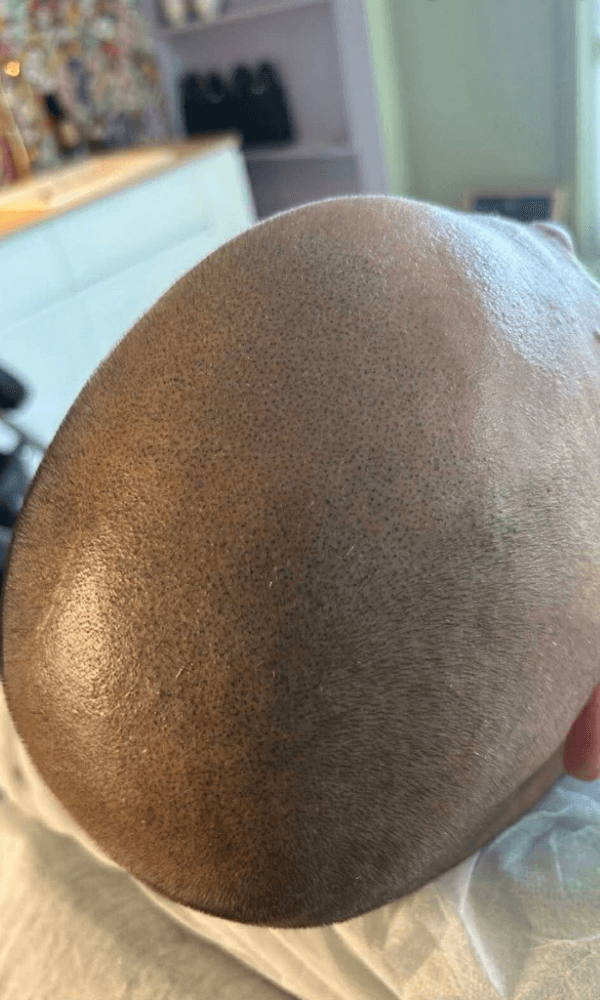
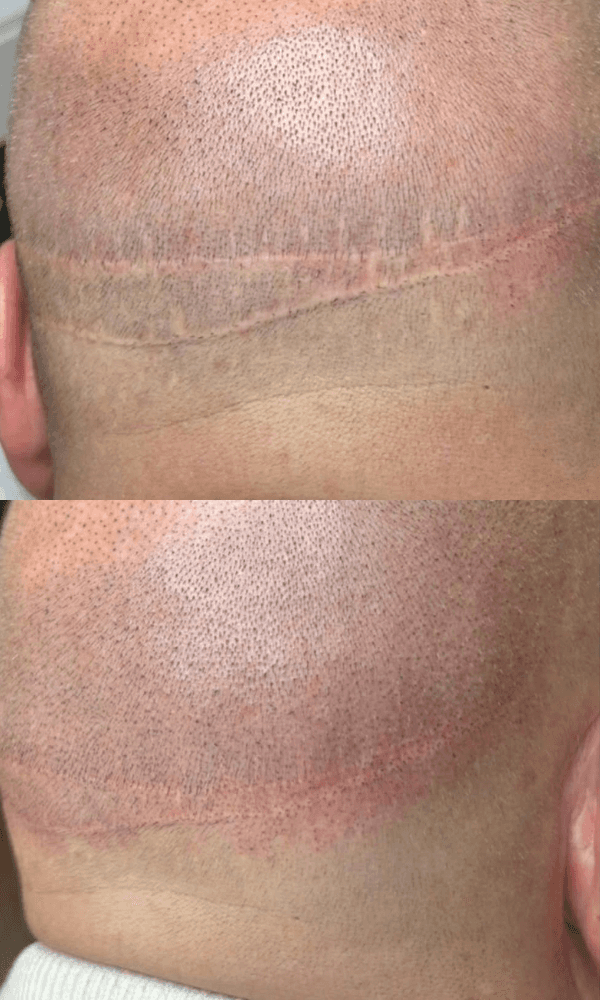
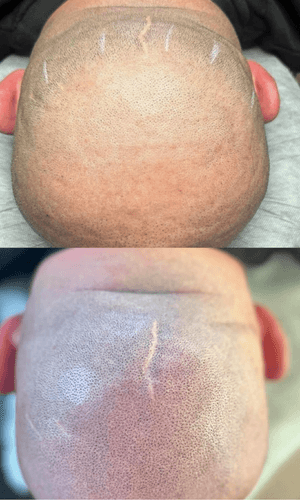
SMP er en presis og naturlig metode for å gjenskape utseendet av hår.
Ved hjelp av mikropigmentering implanteres små pigmentpunkter i hodebunnen for å etterligne hårsekker.
Resultatet er et realistisk og tettbarbert uttrykk som gir inntrykk av tettere hår, og et jevnere hårfeste.
Diskret behandling med stor effekt. Passer for alle hårtyper og hudtoner.
SMP er en presis og naturlig metode for å gjenskape utseendet av hår.
Ved hjelp av mikropigmentering implanteres små pigmentpunkter i hodebunnen for å etterligne hårsekker.
Resultatet er et realistisk og tettbarbert uttrykk som gir inntrykk av tettere hår, og et jevnere hårfeste.
Diskret behandling med stor effekt. Passer for alle hårtyper og hudtoner.
SMP er en presis og naturlig metode for å gjenskape utseendet av hår.
Ved hjelp av mikropigmentering implanteres små pigmentpunkter i hodebunnen for å etterligne hårsekker.
Resultatet er et realistisk og tettbarbert uttrykk som gir inntrykk av tettere hår, og et jevnere hårfeste.
Diskret behandling med stor effekt. Passer for alle hårtyper og hudtoner.
Noe du lurer på?
Noe du lurer på?
Har du spørsmål knyttet til en behandling eller ønsker ytterligere informasjon?
Ikke nøl med å ta kontakt! Jeg hjelper deg!
Har du spørsmål knyttet til en behandling eller ønsker ytterligere informasjon?
Ikke nøl med å ta kontakt! Jeg hjelper deg!
Kontakt
Kontakt
Kontakt
Kontakt
How do I draw Frames?
To draw a Frame, click on Layout in the Toolbar, then select Frame. Now, you can click and drag anywhere on the Canvas.
How do I add images?
To add an image, select any Frame, and either double-click on it, or go to the Fill property. In the Fill property, switch to the image icon. Here, you can upload images.
How do I add videos?
To add a video to your site, click the “Insert” button and navigate to the “Media” section. Then, drag and drop a video component onto the Canvas.
How do I draw Frames?
To draw a Frame, click on Layout in the Toolbar, then select Frame. Now, you can click and drag anywhere on the Canvas.
How do I add images?
To add an image, select any Frame, and either double-click on it, or go to the Fill property. In the Fill property, switch to the image icon. Here, you can upload images.
How do I add videos?
To add a video to your site, click the “Insert” button and navigate to the “Media” section. Then, drag and drop a video component onto the Canvas.
How do I draw Frames?
To draw a Frame, click on Layout in the Toolbar, then select Frame. Now, you can click and drag anywhere on the Canvas.
How do I add images?
To add an image, select any Frame, and either double-click on it, or go to the Fill property. In the Fill property, switch to the image icon. Here, you can upload images.
How do I add videos?
To add a video to your site, click the “Insert” button and navigate to the “Media” section. Then, drag and drop a video component onto the Canvas.
How do I draw Frames?
To draw a Frame, click on Layout in the Toolbar, then select Frame. Now, you can click and drag anywhere on the Canvas.
How do I add images?
To add an image, select any Frame, and either double-click on it, or go to the Fill property. In the Fill property, switch to the image icon. Here, you can upload images.
How do I add videos?
To add a video to your site, click the “Insert” button and navigate to the “Media” section. Then, drag and drop a video component onto the Canvas.
How do I draw Frames?
To draw a Frame, click on Layout in the Toolbar, then select Frame. Now, you can click and drag anywhere on the Canvas.
How do I add images?
To add an image, select any Frame, and either double-click on it, or go to the Fill property. In the Fill property, switch to the image icon. Here, you can upload images.
How do I add videos?
To add a video to your site, click the “Insert” button and navigate to the “Media” section. Then, drag and drop a video component onto the Canvas.
How do I draw Frames?
To draw a Frame, click on Layout in the Toolbar, then select Frame. Now, you can click and drag anywhere on the Canvas.
How do I add images?
To add an image, select any Frame, and either double-click on it, or go to the Fill property. In the Fill property, switch to the image icon. Here, you can upload images.
How do I add videos?
To add a video to your site, click the “Insert” button and navigate to the “Media” section. Then, drag and drop a video component onto the Canvas.
Ofte stilte spørsmål


Hos LineUp får du skreddersydde behandlinger utført med presisjon, trygghet og kvalitet.
Book din time i dag!
Hos LineUp får du skreddersydde behandlinger utført med presisjon, trygghet og kvalitet.
Book din time i dag!
Hos LineUp får du skreddersydde behandlinger utført med presisjon, trygghet og kvalitet.
Book din time i dag!
Book time
Book time
Book time
Book time